Skip to content
  • About
  • Documents
  • Resources
  • Governance
  • Public & Legal Notices
    • Public & Legal Notices Archive
  • Login (Members Only)
  • Contact
Beware: Device Code Phishing
  • View Larger Image
The Rise of Device Code Phishing
Companies, such as Microsoft, Google, and Apple, offer device login codes through a legitimate OAuth 2.0 Device Authorization Grant  that is designed for devices with limited input capabilities, like TVs, printers, and game consoles. For example, if a user wants to log in to a streaming app on a new Smart TV, they may be prompted to enter a long password on the TV remote, which can be frustrating. However, the device code authentication workflow features a short code displayed on the TV screen and instructs the user to visit a webpage in a browser on another device to log in and enter the code to complete authentication. If the code and account credentials are submitted, the user authorizes any device displaying this code to access their account.
While useful and convenient, threat actors are exploiting this device code authentication workflow through a social engineering attack called device code phishing. Originally limited to sophisticated state-sponsored threat actors such as Storm-2372 , device code phishing has surged and become widely available through Phishing-as-a-Service (PaaS) platforms, like EvilTokens and Kali365/Octopi365. Threat actors leverage the device code authentication flow to target and compromise organizational accounts at scale. In the past several months, the NJCCIC has observed a significant uptick in device code phishing targeting New Jersey public- and private-sector organizations, and this threat is likely to increase.
Image Source: Microsoft
Device code phishing occurs when a threat actor initiates the device code authentication workflow instead of a legitimate device requesting access. The threat actor submits a device code request to a legitimate service, such as Microsoft, implying that they are on a device without a keyboard. The service then generates a device code. The threat actor identifies their target and creates phishing campaigns tailored to the target’s role. The recent phishing emails contain various lures, such as shared documents for review, invoices, statements, regulation updates, settlement claims, project documents, encrypted messages, and security notices. The threat actor ultimately sends the target the device code via a phishing link in the email body or attachment.
If clicked, the phishing page contains the device code. In recent campaigns, phishing pages impersonate legitimate, trusted platforms and include logos and branding from Docusign, Adobe, Dropbox, Google, SharePoint, and OneDrive. In the example above, the target is prompted to click the “Continue with Microsoft” button on the purported Docusign platform.
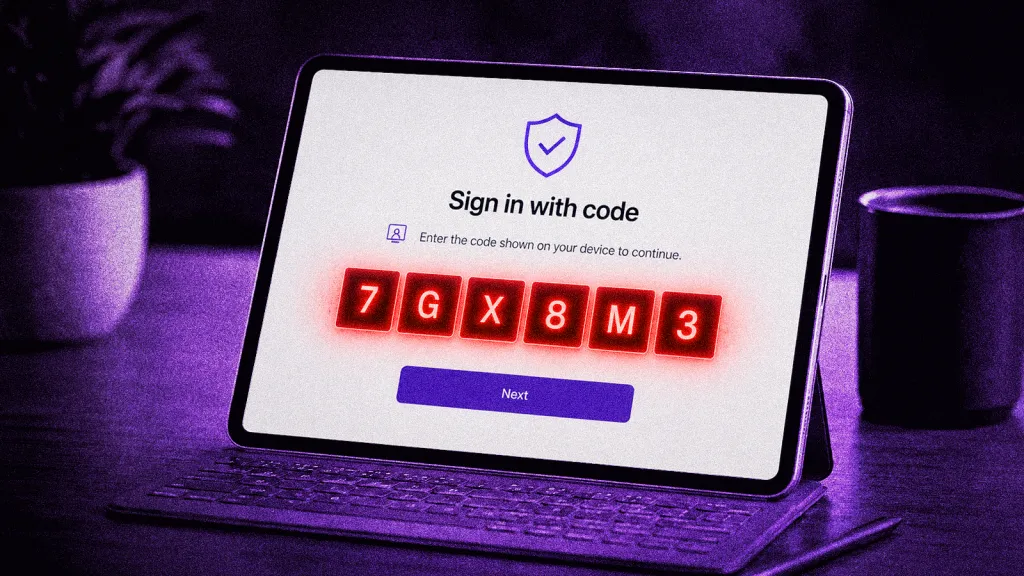
If clicked, the target is directed to the legitimate Microsoft service and prompted to enter the device code and click the “Next” button.
If entered, the target is directed to log in with their Microsoft account credentials. When credentials are submitted, the legitimate Microsoft service immediately issues an access token directly to the threat actor’s device, enabling them to maintain persistent, authenticated access to the target’s account without requiring their credentials.
Recommendations
  • Exercise caution with communications from known senders or legitimate services or platforms.
  • Confirm requests from senders using contact information obtained from verified, official sources before taking action, such as clicking links or opening attachments.
  • Refrain from inputting a device code into a webpage unless you have actively initiated a login request.
  • Never enter a device code to view a shared document, invoice, or file.
  • If a device code was entered, revoke active sessions, log out of all sessions via the account security portal, check for active devices to ensure an unauthorized device was not added, and review recent login logs to identify any account access from an unusual location.
  • If sensitive information was entered, change passwords for compromised accounts, monitor for unauthorized activity, and review the Identity Theft and Compromised PII NJCCIC Informational Report for additional recommendations and resources.
  • Report malicious cyber activity to the NJCCIC and the FBI’s IC3.
Published in NJICC Weekly Bulletin, August 27, 2026
Stacey Ehling2026-09-08T09:40:10-04:00

© Copyright 2026 | NJ MEL-JIF | All rights reserved

Page load link
Go to Top